Containers (Docker)
Deploy and manage containerized applications using Docker.
Containers provide a lightweight, consistent, and portable way to run your applications. Our platform natively supports deploying and managing Docker containers, removing the overhead of managing the underlying infrastructure.
What is a Container?
A container is a standard unit of software that packages up code and all its dependencies so the application runs quickly and reliably from one computing environment to another. Since they are decoupled from the host operating system, they ensure consistency across development, testing, and production phases.
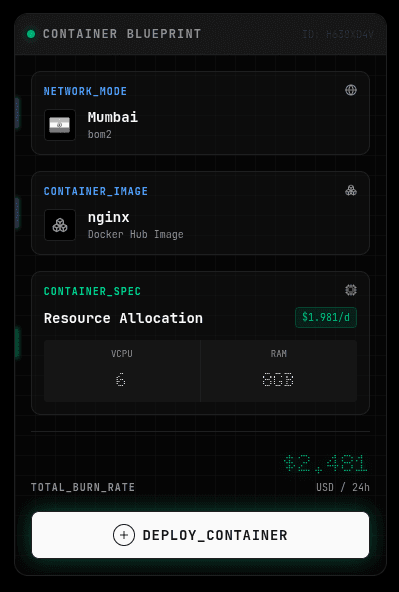
Creating a Container
To deploy a new container:
- Navigate to the Containers section in the main dashboard sidebar.
- Click on "Create Container".
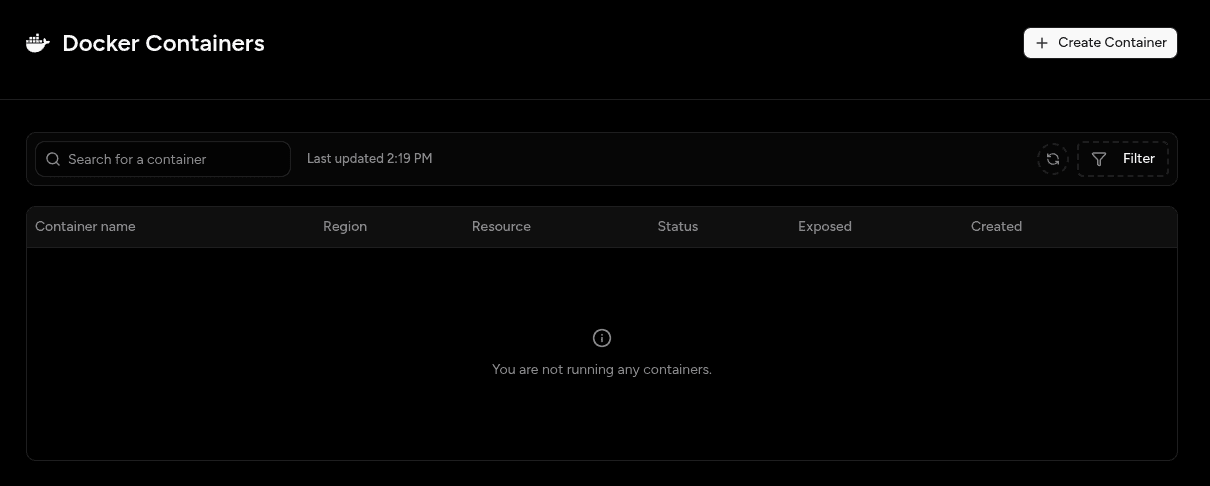
- Select Image: Enter the name of the Docker image you want to pull (e.g.,
nginx:latest,redis:alpine). You can use any image available on public registries like Docker Hub.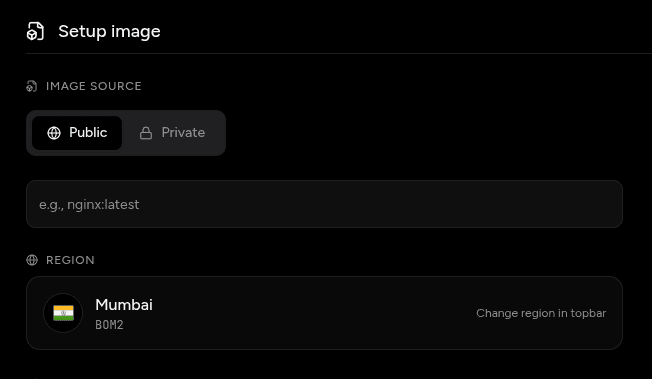
- Configuration:
- Choose the compute flavor (CPU/RAM combination) for your container.
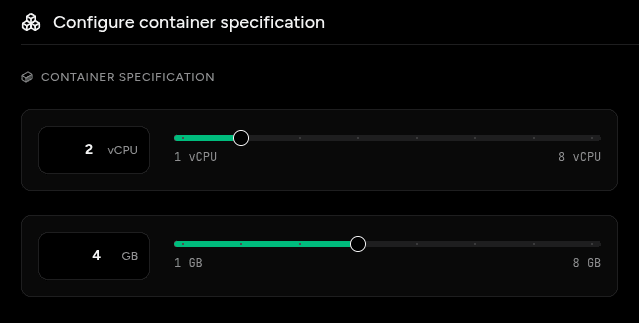
- Set environment variables as key-value pairs.
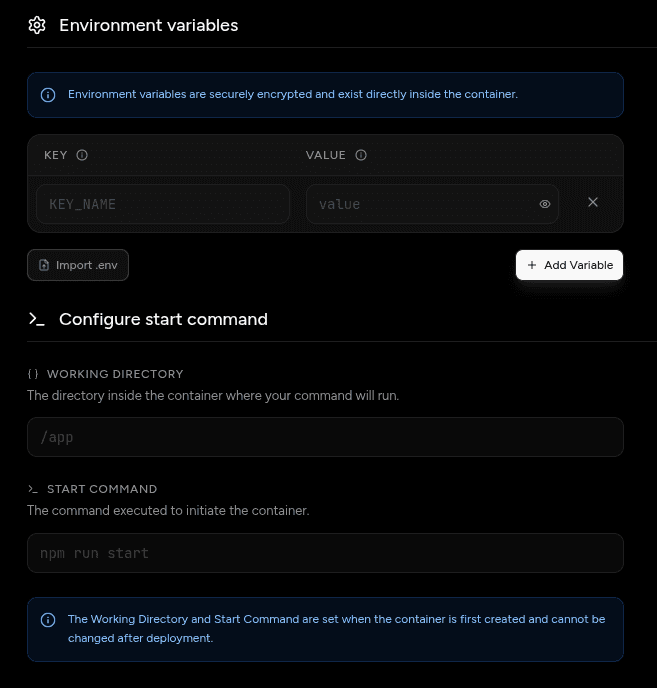
- Choose the compute flavor (CPU/RAM combination) for your container.
- Click Deploy. Your container will be up and running in seconds.
Managing Containers
Once a container is deployed, you have full control over its lifecycle:
- View Logs: Monitor the standard output and error logs produced by your container in real time.
- Console Access: Securely open an interactive shell session directly into the running container from your dashboard.
- Metrics: Track CPU, Memory, and Network usage for your container.
- Scaling: Adjust the compute resources allocated to your container as your needs grow.
Persistent Storage
Currently, local file changes made inside the container are ephemeral. If your container restarts, any data not stored in an external volume or database will be lost. Use managed services or persist data outside the container for stateful applications.